
Discussion


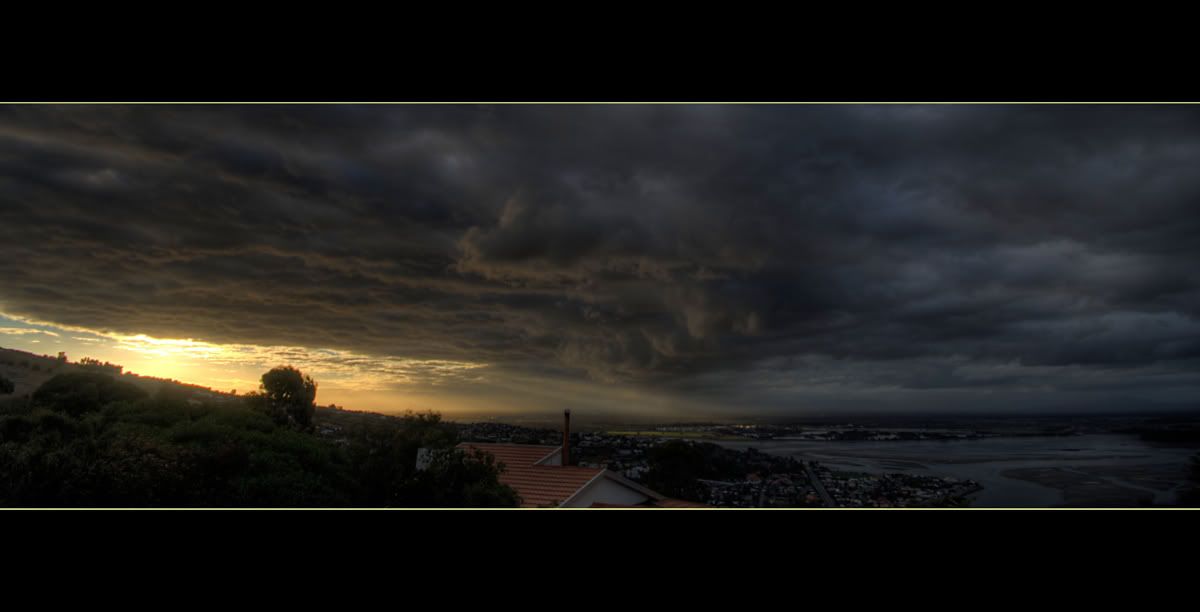
I really like that, as said before though the clouds are a distraction. i really like the bottom half of the image however!
what am i doing wrong with HDR. I have the full version but i end up with a high contrast mess :S Was a total waste of money 'cos i have never got anything i like. I have tried an exposure bracketing of 6 seperate shots and 3 seperate shots. So -2 + 0 + 2 and -2, -1, 0, +1, +2 but just rubbish. any tips?
cheers
what am i doing wrong with HDR. I have the full version but i end up with a high contrast mess :S Was a total waste of money 'cos i have never got anything i like. I have tried an exposure bracketing of 6 seperate shots and 3 seperate shots. So -2 + 0 + 2 and -2, -1, 0, +1, +2 but just rubbish. any tips?
cheers
Edited by leightonjames on Friday 11th April 11:38


CivicMan said:
Popped out yesterday and did some shots intended for HDR, using Photomatix. Great fun and got what I thought were some nice results, viz:

Now, using the trial version, it comes with watermarks attached to your images, (which I've Photoshopped). Has anyone actually bought the full version online which appears to be $99, or are there better alternatives?
very nice - south downs i presume ????Now, using the trial version, it comes with watermarks attached to your images, (which I've Photoshopped). Has anyone actually bought the full version online which appears to be $99, or are there better alternatives?
Edited by CivicMan on Friday 11th April 10:31
Viper_Larry said:
With regard to the clouds - choose the 'Align Images' option, this might help.
I have the full version, but haven't done much with it recently...
Would that help? I presume the hills being stationary and the clouds not only having moved, but possibly brought new shapes of cloud into the shot would be an issue?I have the full version, but haven't done much with it recently...
(Genuinely don't know how clever photomatix is...)
Chris71 said:
Viper_Larry said:
With regard to the clouds - choose the 'Align Images' option, this might help.
I have the full version, but haven't done much with it recently...
Would that help? I presume the hills being stationary and the clouds not only having moved, but possibly brought new shapes of cloud into the shot would be an issue?I have the full version, but haven't done much with it recently...
(Genuinely don't know how clever photomatix is...)


CivicMan said:
Jenx said:
I hate to be a miserable old fart, but why are you posting images at 1600 px wide?
Martin.
Nothing wrong with that, been one myself for years!!!Martin.
Answer is laziness I'm afraid....
 will do better in future!!
Edited by crmcatee on Saturday 12th April 21:16

Jenx said:
I hate to be a miserable old fart, but why are you posting images at 1600 px wide?
Agreed. Like I said a few days ago, the stickies have been there so long nobody reads them. Still, by the time I've typed this maybe the photos will have downloaded.Unfortunately I don't have any photos of Knockhill to add to the current Knockhill Photothreadfest.
ETA: No wonder - 1.2-1.8Gb. 100-200Kb is all you need for 750px.
Sorry. Yes, I'm being a grumpy old fart too! Bah!
Edited by Simpo Two on Saturday 12th April 22:05
crmcatee said:
Is this really the thread about ignoring image sizes on the forum... Muppets.
I think not. If you want people to see your photos quickly and easily, you'll make it easy for them. Why fall at the final hurdle?Also note that if you exceed 750px wide, the PH mangling machine will go into action and crunch them so your lovely diagonal lines go all jaggy. Now of course if you want your best images to been seen all jaggy, if you don't actually care that much, then sure, don't bother to resize, shove it up anyway.
This thread is about post-production. Photoshop doesn't get much more basic than 'resize', 'save as' etc.
If I'm a muppet for attending to detail and getting things as good as I can get them, then I'm happy to be a muppet. It works for me and you can read the testimonials.


crmcatee said:
CivicMan said:
Jenx said:
I hate to be a miserable old fart, but why are you posting images at 1600 px wide?
Martin.
Nothing wrong with that, been one myself for years!!!Martin.
Answer is laziness I'm afraid....
will do better in future!!Edited by crmcatee on Saturday 12th April 21:16


Gassing Station | Photography & Video | Top of Page | What's New | My Stuff