
How do you get that graduated filter look?
Discussion


You know, as favoured by Top Gear for film work and Evo, Car etc. for stills...
Does every pro snapper get presented with a graduated filter along with their first comission or are these all photoshopped?
And more to the point - how? It must be easy to do, but my attempts to create a graduated grey filter just ended up with a sort of fog over the whole image.
Does every pro snapper get presented with a graduated filter along with their first comission or are these all photoshopped?
And more to the point - how? It must be easy to do, but my attempts to create a graduated grey filter just ended up with a sort of fog over the whole image.

Photoshop is easiest.
Create a gradient fill on a new layer, using whichever colours you require, and change the opacity of the layer to obtain the desired effect. Can use colour to transparent or grey to transparent depending on what you are trying to achieve.
Here's one I did earlier.

Create a gradient fill on a new layer, using whichever colours you require, and change the opacity of the layer to obtain the desired effect. Can use colour to transparent or grey to transparent depending on what you are trying to achieve.
Here's one I did earlier.
Edited by DIW35 on Tuesday 25th March 16:26


Deanphoto said:
Yep, that's the sort of thing I'm after! (As are Dean's examples.)Looks like I had the basic technique right, but I was trying to apply it to the background layer direct, rather than blending it with another layer.
Haven't quite got the hang of the layers thing yet.


ROADRUNNER3 said:
Very nice. Is that an optical filter as opposed to post processing?Chris71 said:
ROADRUNNER3 said:
Very nice. Is that an optical filter as opposed to post processing?ROADRUNNER3 said:
Yes, 99% of the shot is done at the point I shoot, I find PS boring & time consuming!
more to the point, using a grad filter (properly) means that you can correctly expose the sky in cases where it would normally be blown out - preserving more detail/image quality.one of mine - using nd4 or nd8!
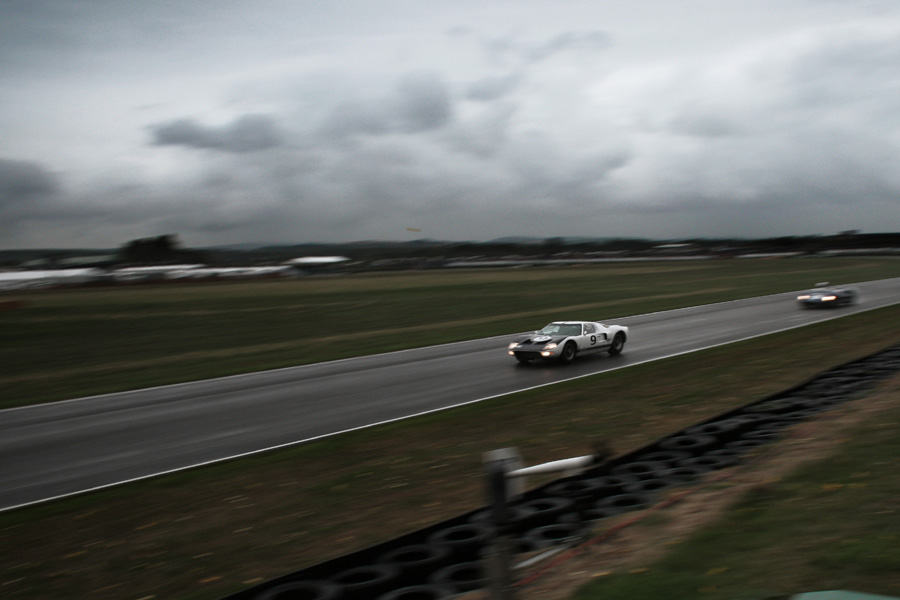
Edited by tim-b on Sunday 30th March 15:12
Gassing Station | Photography & Video | Top of Page | What's New | My Stuff