
Camera effects Vs post processing
Discussion


Morning 
I'm rather new to [digital] photography. Can someone give me an idiots guide as to what effects are usually added on a computer and what is usually produced with creative use of the camera. To a novice, it seems that if you have a sharp focused, relatively well composed shot (allowing for cropping) the vast majority of effscts that would previously have required 'fancy' photogrpahy can now be done with photoshop; is this fair?
Put simply - what should I aim to do with the camera and what should I aim to do with the computer. I'm a bit apprehensive about the latter as I don't have any decent imaging software (I gather it can be horrifically expensive) and only basic experience of using such packages.
I'm rather new to [digital] photography. Can someone give me an idiots guide as to what effects are usually added on a computer and what is usually produced with creative use of the camera. To a novice, it seems that if you have a sharp focused, relatively well composed shot (allowing for cropping) the vast majority of effscts that would previously have required 'fancy' photogrpahy can now be done with photoshop; is this fair?
Put simply - what should I aim to do with the camera and what should I aim to do with the computer. I'm a bit apprehensive about the latter as I don't have any decent imaging software (I gather it can be horrifically expensive) and only basic experience of using such packages.
well out of the camera it is almost 100% guaranteed the image will not be as sharp as it could be due to the fact that in front of the sensor is a protective glass which by design softens the image a little.
There is no difference in theory behind taking a picture on film and on digital and trust me you WILL need to use post processing if you want to get the best out of your images. On film we used to do a lot in the dark room to get the image results we wanted, digital is no different its just a progression of technology.
You could add contrast and other settings to your shot in camera but this, unless you shoot raw, then detracts from what you can do later. I adjust my contrast/saturation/sharpness when shooting RAW simply to save me time on what I would have to do to each image - but thats because I've taken a lot of images on the camera to discover what I want as the default prior to processing. However if I had the settings set and shot direct to jpeg I'd have to make do with the results as a fixed starting point.
Everything (well nearly) you can do with photoshop etc is what was done previously in the lab - the difference is PS is lightyears faster at this
So to answer, with camera take as good an exposure and composed shot as you can - remember that cameras expose for 18% grey so you might need to stop up or down to get the right exposure for your scene. Get the shot as close to what you want the result to look like (compositionally speaking) in camera then touch up the output in computer.
The only pro that shoots straight to JPEG is Ken Rockwell
There is no difference in theory behind taking a picture on film and on digital and trust me you WILL need to use post processing if you want to get the best out of your images. On film we used to do a lot in the dark room to get the image results we wanted, digital is no different its just a progression of technology.
You could add contrast and other settings to your shot in camera but this, unless you shoot raw, then detracts from what you can do later. I adjust my contrast/saturation/sharpness when shooting RAW simply to save me time on what I would have to do to each image - but thats because I've taken a lot of images on the camera to discover what I want as the default prior to processing. However if I had the settings set and shot direct to jpeg I'd have to make do with the results as a fixed starting point.
Everything (well nearly) you can do with photoshop etc is what was done previously in the lab - the difference is PS is lightyears faster at this
So to answer, with camera take as good an exposure and composed shot as you can - remember that cameras expose for 18% grey so you might need to stop up or down to get the right exposure for your scene. Get the shot as close to what you want the result to look like (compositionally speaking) in camera then touch up the output in computer.
The only pro that shoots straight to JPEG is Ken Rockwell
Edited by stigmundfreud on Monday 3rd December 09:59
Thanks.
So, can you give a complete novice some idea what is frequently done to enhance an image? The only thing I have ever done with photo-editing is to 'rescue' bad shots where they have been underexposed or whatever on my old compact, I've never really tried to enhance or add to an already acceptable (if mediocre) shot before.
So, can you give a complete novice some idea what is frequently done to enhance an image? The only thing I have ever done with photo-editing is to 'rescue' bad shots where they have been underexposed or whatever on my old compact, I've never really tried to enhance or add to an already acceptable (if mediocre) shot before.
 ) but to give you an idea of how much a seemingly untouched image can be edited, he's an example of a shot I played with over the weekend;


those the right way round Tony? 
Common tasks for touching up an image
1.) Levels adjustment
2.) Contrast/brightness
3.) Sharpness
4.) Saturation
though it is usually a mix of 1 + 3, 2+3 those are the two you will use the most.
Also it is worth doing all this work by using adjustment layers rather than applying each change to the original image. This way you can see the effects of mixing each change by turning a layer on/off
Common tasks for touching up an image
1.) Levels adjustment
2.) Contrast/brightness
3.) Sharpness
4.) Saturation
though it is usually a mix of 1 + 3, 2+3 those are the two you will use the most.
Also it is worth doing all this work by using adjustment layers rather than applying each change to the original image. This way you can see the effects of mixing each change by turning a layer on/off
One thing that I've noticed is that on all the different screens I view my images on - some look absolutely shite. They look great on my big nice screen at home though, but I've not yet calibrated that though.
Anyway, it looks a bit dark on this screen annoyingly (the "after".
I agree about adjustment layers. Do everything with layers, and on new layers, so you don't do too much, and can see the effect it has. I also tend to copy key things (in the shot above, the car for example) and just leave it stuck out the way on a not-shown layer just in case I mess anything up a bit too much.
Anyway, it looks a bit dark on this screen annoyingly (the "after"
.I agree about adjustment layers. Do everything with layers, and on new layers, so you don't do too much, and can see the effect it has. I also tend to copy key things (in the shot above, the car for example) and just leave it stuck out the way on a not-shown layer just in case I mess anything up a bit too much.
Chris71 said:
Ok, so it's the sort of thing I could do with the standard Canon software, you don't need a huge stack of RAM and the latest version of photoshop to play around. 
As it happens yes, just without layers for adjustment. Canon do a tool called Photo Professional 3.0 (think thats the name) for raw image processing is fantastic, seriously good tool - it handles jpegs too and is very easy to use. Play with that as its free and included with your camera (dpending on model)Chris if you haven't already, you should check out this thread
http://www.pistonheads.com/gassing/topic.asp?h=0&a...
Steve
http://www.pistonheads.com/gassing/topic.asp?h=0&a...
Steve
GetCarter said:
Chris if you haven't already, you should check out this thread
http://www.pistonheads.com/gassing/topic.asp?h=0&a...
Steve
Looks useful. That shot of the dead tree on the first page is incredible.http://www.pistonheads.com/gassing/topic.asp?h=0&a...
Steve
Maybe I'm just being naive - but it does seem like most people are still performing fairly minor adjustments (darkness/contrast/sharpness etc) - I thought it would all be more complicated and dramatic changes. Surely you can do basic stuff like that on virtually any photo-editing package?
Chris71 said:
GetCarter said:
Chris if you haven't already, you should check out this thread
http://www.pistonheads.com/gassing/topic.asp?h=0&a...
Steve
Looks useful. That shot of the dead tree on the first page is incredible.http://www.pistonheads.com/gassing/topic.asp?h=0&a...
Steve
Maybe I'm just being naive - but it does seem like most people are still performing fairly minor adjustments (darkness/contrast/sharpness etc) - I thought it would all be more complicated and dramatic changes. Surely you can do basic stuff like that on virtually any photo-editing package?
Chris71 said:
GetCarter said:
Chris if you haven't already, you should check out this thread
http://www.pistonheads.com/gassing/topic.asp?h=0&a...
Steve
Looks useful. That shot of the dead tree on the first page is incredible.http://www.pistonheads.com/gassing/topic.asp?h=0&a...
Steve
Maybe I'm just being naive - but it does seem like most people are still performing fairly minor adjustments (darkness/contrast/sharpness etc) - I thought it would all be more complicated and dramatic changes. Surely you can do basic stuff like that on virtually any photo-editing package?
stigmundfreud said:
Chris71 said:
GetCarter said:
Chris if you haven't already, you should check out this thread
http://www.pistonheads.com/gassing/topic.asp?h=0&a...
Steve
Looks useful. That shot of the dead tree on the first page is incredible.http://www.pistonheads.com/gassing/topic.asp?h=0&a...
Steve
Maybe I'm just being naive - but it does seem like most people are still performing fairly minor adjustments (darkness/contrast/sharpness etc) - I thought it would all be more complicated and dramatic changes. Surely you can do basic stuff like that on virtually any photo-editing package?
What I'm trying to say (probably badly) is that if I don't have to do ANY post processing then I'm a happy bunny.
(apologies - all the below are not resized to 750 wide - so they'll look a bit wonkey - and also to those who have seen these several times before!)
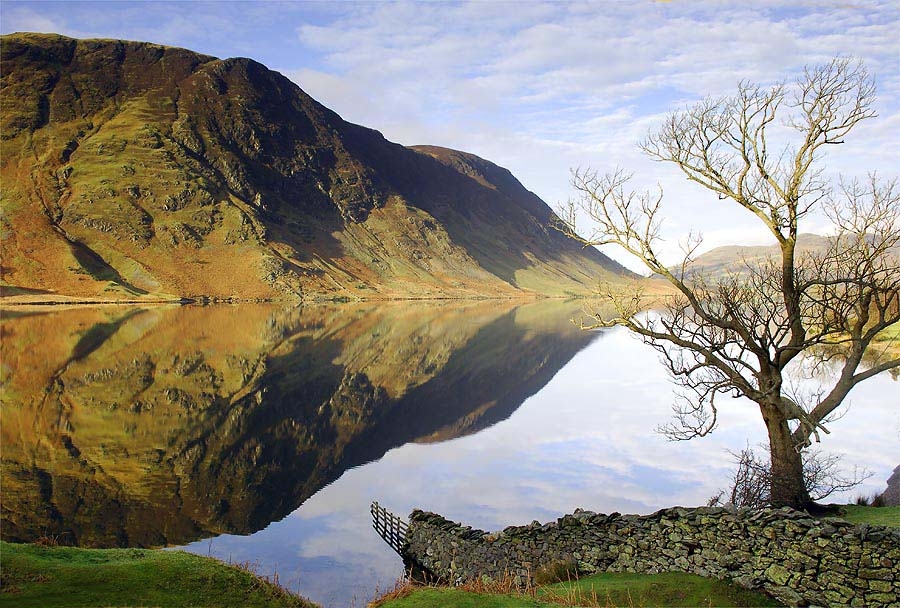
These I just resized - took me 5 seconds each. I got it right 'in the field'

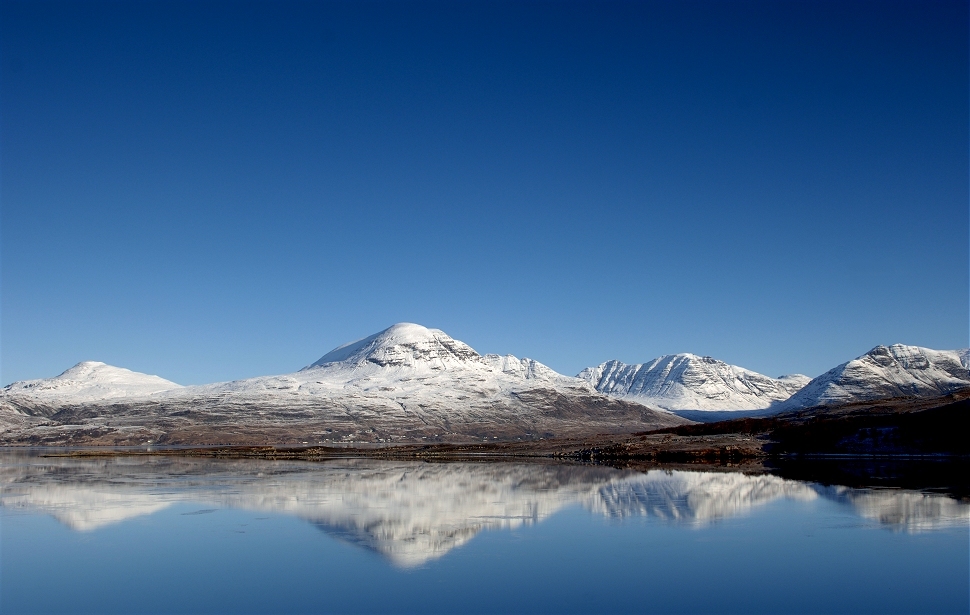
This I had to digital blend 2 photos (sky and the rest) - took me 20 mins
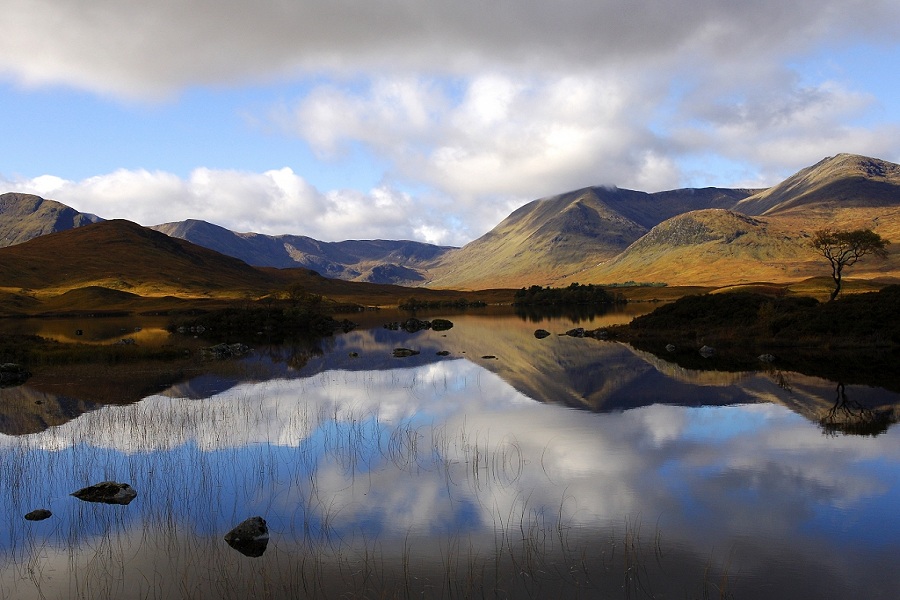
This took me bloody ages to get right cos I didn't have the right filter with me when I took the pic, so had to blend 3 images and arse about with curves, shadows and all sorts.
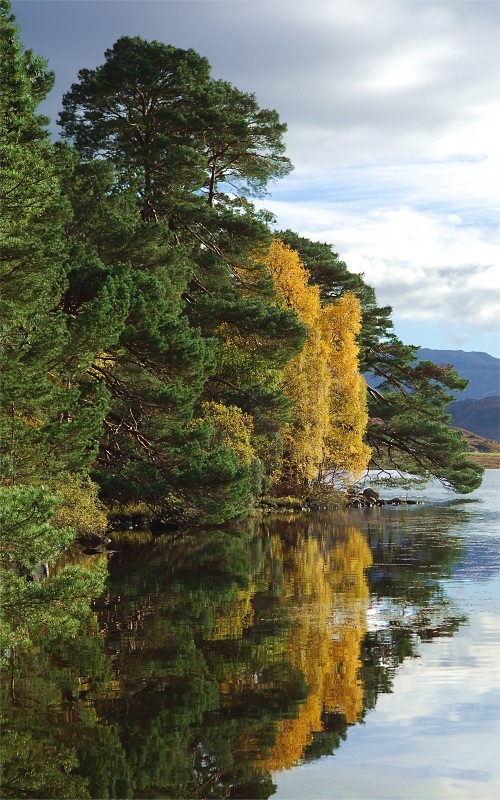
In short... *most of the time* the more post processing I do, the worse I was with the camera.
...but that's just in the sort of photos I take... I guess.
(apologies - all the below are not resized to 750 wide - so they'll look a bit wonkey - and also to those who have seen these several times before!)
These I just resized - took me 5 seconds each. I got it right 'in the field'
This I had to digital blend 2 photos (sky and the rest) - took me 20 mins
This took me bloody ages to get right cos I didn't have the right filter with me when I took the pic, so had to blend 3 images and arse about with curves, shadows and all sorts.
In short... *most of the time* the more post processing I do, the worse I was with the camera.
...but that's just in the sort of photos I take... I guess.
Edited by GetCarter on Monday 3rd December 15:18
its horses for courses though isnt it. Personally I like to keep teh camera settings zeroed so that it gives me the flexibility I want later but then I like images to look a different way to what you might. I personally find even the most perfectly exposed image can still need a bit of work simply because I'm not a fan of how an image tends to look flat off camera - unless that is you set your camera up for how you like it
I suppose its the same as some people prefer to use hp4 and others like to use hp5 and push it to 1600
saying that having seen those it does kind of make me want to start going direct from camera. You sure you didnt do anything when pulling them from RAW? Or are you going right to jpeg!?
I suppose its the same as some people prefer to use hp4 and others like to use hp5 and push it to 1600
saying that having seen those it does kind of make me want to start going direct from camera. You sure you didnt do anything when pulling them from RAW? Or are you going right to jpeg!?
Edited by stigmundfreud on Monday 3rd December 15:24
Gassing Station | Photography & Video | Top of Page | What's New | My Stuff