
2 photos - comments please
Discussion


I took these 2 whilst on the South Coast last summer . I have just got round to sorting them all out and I just wondered what you thought ?
I know there are lots wrong with them , but is there hope for me yet ?
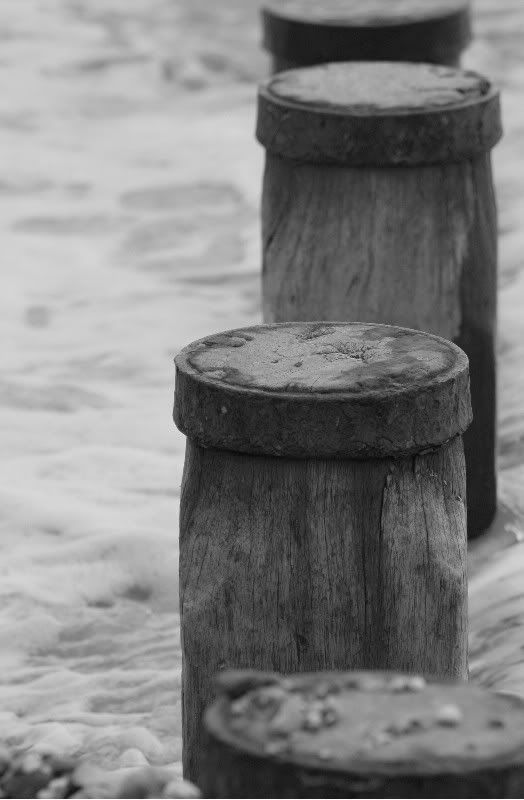

Off for some zzz's now , but will drop by tomorrow for the roasting.......
I know there are lots wrong with them , but is there hope for me yet ?
Off for some zzz's now , but will drop by tomorrow for the roasting.......
personally i think the contrast in both images needs playing with as they are both very flat. I'd be inclined to play with the levels/curves and see if i could add more punch.
I agree that the second one would be interesting to see in colour, possibly with an increase in saturation too.
I agree that the second one would be interesting to see in colour, possibly with an increase in saturation too.

Gemm said:
You can do so much with groynes, so I'd probably change the viewpoint and think more about the composition, and play with shutter speed. The image looks a bit soft to me too.
I agree with others about the 2nd image. It would probably look better in colour.
Personally I'd have thought the groins would look better in colour as well. Sand/rust/grey/brown etc., after all what does b&w contribute to the image? I agree with others about the 2nd image. It would probably look better in colour.
busby said:
Thanks for the honest replies .
I agree they are a bit soft , they were only snapshots after all . Its just I quite liked them . They were among my first ever shots in B and W though , and I have just got Photoshop - so things can only get better ....
I agree they are a bit soft , they were only snapshots after all . Its just I quite liked them . They were among my first ever shots in B and W though , and I have just got Photoshop - so things can only get better ....
If you are shooting digitally, always shoot colour. You can always desaturate/gradient map/whatever your method is after the fact and you have the choice.
graham@edinburgh said:
If you are shooting digitally, always shoot colour. You can always desaturate/gradient map/whatever your method is after the fact and you have the choice.
Thanks for the advice , I need to sit down and spend a day or 2 with the photoshop tutorial as I havent a clue about post image processing at the moment - its just finding the time !
I am actually looking forward to thinking about my shots more , rather than just pointing and shooting and wasting a good camera .
First one is OK apart from the flat lighting, the point of focus and depth of focus is good on the one upright, the water looks fluid and bubbly and the main subject is off centre to prevent the image being boring. I'd recommend that you investigate Levels and Sharpening first in Photoshop as they should fairly quickly help you get close to the image you saw in your mind when you first took the picture.
N.B. You may find cloning out the dust mark at centre left surprisingly challenging to remove satisfactorily so be prepared to have a few goes at it.
N.B. You may find cloning out the dust mark at centre left surprisingly challenging to remove satisfactorily so be prepared to have a few goes at it.
Gassing Station | Photography & Video | Top of Page | What's New | My Stuff