
How to keep deatail in sky/ground?
Discussion


Was out today and tried to take some landscape type pictures. but whenever i focused on the sky the ground was badly underexposed, (totally black) and when i focused on the ground the sky was blown out.

Now i think about it i dont think shooting towards the sun did it any good but is there anything you can do about this, or do you just have to get an inbetween and try and do some photoshopping.
Now i think about it i dont think shooting towards the sun did it any good but is there anything you can do about this, or do you just have to get an inbetween and try and do some photoshopping.
Gemm said:
Or take 2 shots, one metered off the sky and one off the ground, then merge them together in Photoshop.
I thought of that but would u not need a tripod to make sure you got the same frame?
Looks like there'll be an ND grad filter going on my list. can anyone recommend any good ones.
I got this Cokin set for chrimbo:

cost about £40, avaliable from lots of places - you will however also need to buy an appropriately sized adapter for each of your lenses, based on the size of the front element. These are about £6 each, luckily all my lenses are 77mm so I only need one.
cost about £40, avaliable from lots of places - you will however also need to buy an appropriately sized adapter for each of your lenses, based on the size of the front element. These are about £6 each, luckily all my lenses are 77mm so I only need one.
alanw89 said:
I thought of that but would u not need a tripod to make sure you got the same frame?
yes you would really.
I've had some success taking 2 exposures from the same RAW file and putting that through pshop/photomatix, but i think grad filters are the way to do it first time. (they're on my list too
 ).
).It's best to bracket at least 3 frames so that you darken the sky AND lighten the foreground if you are going to put them together.
...and you can do it without a tripod (but it is more difficult) This is done sans tripod and bracketed 5 frames - 2 either side of the cameras best guess
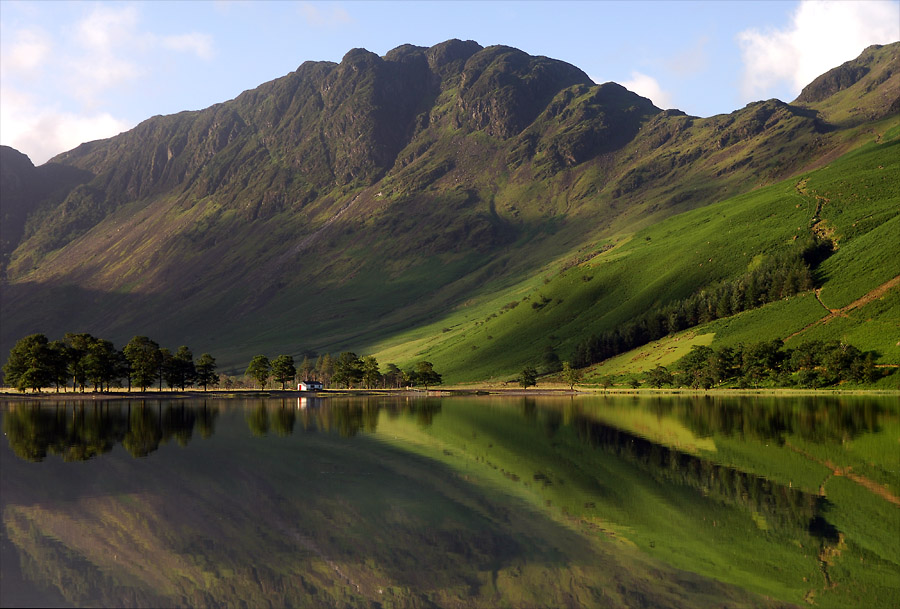
and this from three frames - 1 either side at .7 stop:
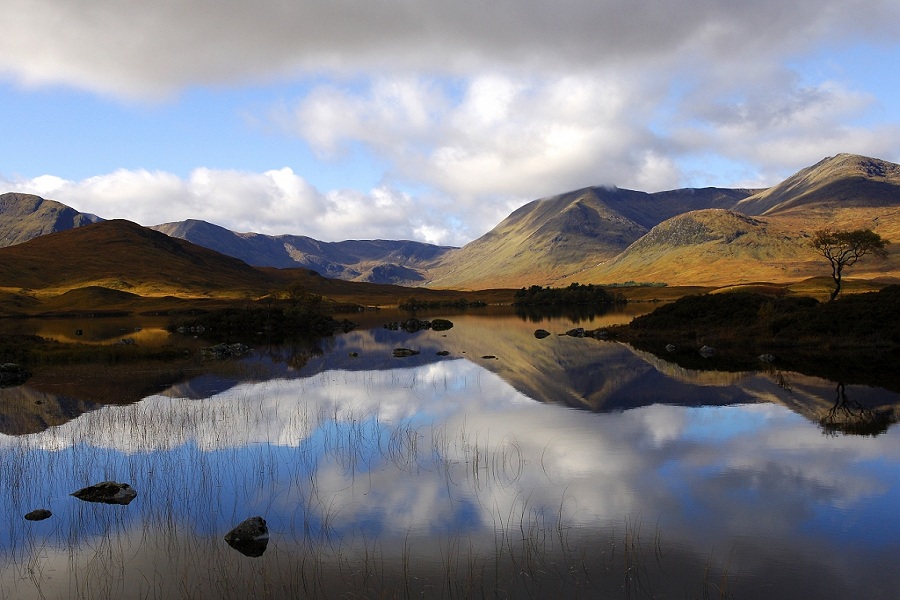
...and you can do it without a tripod (but it is more difficult) This is done sans tripod and bracketed 5 frames - 2 either side of the cameras best guess
and this from three frames - 1 either side at .7 stop:
alanw89 said:
GetCarter said:
It's best to bracket at least 3 frames so that you darken the sky AND lighten the foreground if you are going to put them together.
what do you mean when u say bracket? ive seen it mentioned a few times before but dont know what it means.
OK... On many cameras you can set this up easily, but don't know whether yours can do it... (check the manual)
The camera looks at the scene and guesses the average light. Having set the camera up to bracket, you take 3, 5, 7 shots etc.. and the camera under exposes the 2nd shot a little, over exposes the 3rd a little, under exposes the 4th a little more etc.
This 'covers all bases', so if there are very bright bits in shot you effectively expose for the highlights, and under exposed areas are also made lighter. This gives you a chance of doing some post processing to get near to the shot you were after.
ie... (this was Christmas eve - a burst of three shots taken in under a second - 1 normal 2 darker 3 brighter)
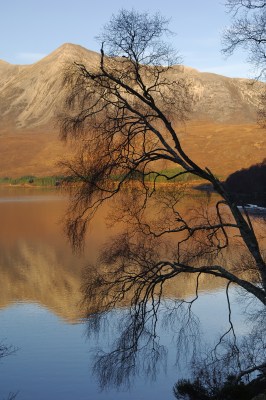
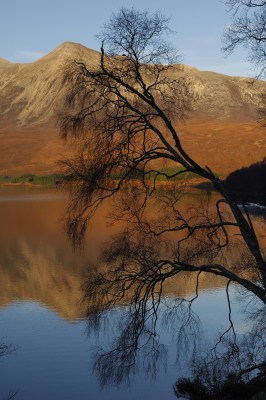
Steve
Edited by GetCarter on Sunday 31st December 14:43
I'm sure a 400d will have an auto-bracket setting - as Steve says read the manual.
I'd also wreckomend an ND grad filter as shown above, get a 0.6 and see the difference it makes.
It's also worth, again, reading the manual to see if the camera has an overexposure warning system when you review the images on the display, if it does - learn how to use it ;-)
Simpler than bracketing is simply dialing in under or overexposure, again this will be covered in the manual . . .
It's digital so find a comfy place to sit and experiment until you understand how these features work on your camera then you can use them to control the problems you're facing (which I have to say everybody who takes pictures faces all the time) . . .
Fd
I'd also wreckomend an ND grad filter as shown above, get a 0.6 and see the difference it makes.
It's also worth, again, reading the manual to see if the camera has an overexposure warning system when you review the images on the display, if it does - learn how to use it ;-)
Simpler than bracketing is simply dialing in under or overexposure, again this will be covered in the manual . . .
It's digital so find a comfy place to sit and experiment until you understand how these features work on your camera then you can use them to control the problems you're facing (which I have to say everybody who takes pictures faces all the time) . . .
Fd
Just looked it up in my manual and it does have it. I knew about taking different exposures and then merging them together but did know you could set up the camera to do it automatically, very handy.
About the overexposure warning, when u view the pictures back with the detailed information (histogram etc) the over exposed pixels flash up black. Is this what you mean? I also read that u can use the histograms to tell if its overexposed or underexposed by checking no parts at either end are cut off. Is this correct?
Thanks
About the overexposure warning, when u view the pictures back with the detailed information (histogram etc) the over exposed pixels flash up black. Is this what you mean? I also read that u can use the histograms to tell if its overexposed or underexposed by checking no parts at either end are cut off. Is this correct?
Thanks
alanw89 said:
Just looked it up in my manual and it does have it. I knew about taking different exposures and then merging them together but did know you could set up the camera to do it automatically, very handy.
About the overexposure warning, when u view the pictures back with the detailed information (histogram etc) the over exposed pixels flash up black. Is this what you mean? I also read that u can use the histograms to tell if its overexposed or underexposed by checking no parts at either end are cut off. Is this correct?
Thanks
About the overexposure warning, when u view the pictures back with the detailed information (histogram etc) the over exposed pixels flash up black. Is this what you mean? I also read that u can use the histograms to tell if its overexposed or underexposed by checking no parts at either end are cut off. Is this correct?
Thanks
yep and yep
Gassing Station | Photography & Video | Top of Page | What's New | My Stuff