
Threads too wide for the screen
Discussion


NiceCupOfTea said:
I posted a thread on this a while back, but it seems every other thread has a long URL or something that breaks the formatting and needs horizontal scrolling.
Can we please at least have an option to "fit to screen" - constantly scrolling can be a real ballache!
Unless you have a particularly tiny screen, the only time this will happen with a link is if the site doesn't recognise the text as a URL (i.e. it is not clickable)Can we please at least have an option to "fit to screen" - constantly scrolling can be a real ballache!
Is there a particular thread you have spotted it on?
Mr Will said:
NiceCupOfTea said:
I posted a thread on this a while back, but it seems every other thread has a long URL or something that breaks the formatting and needs horizontal scrolling.
Can we please at least have an option to "fit to screen" - constantly scrolling can be a real ballache!
Unless you have a particularly tiny screen, the only time this will happen with a link is if the site doesn't recognise the text as a URL (i.e. it is not clickable)Can we please at least have an option to "fit to screen" - constantly scrolling can be a real ballache!
Is there a particular thread you have spotted it on?
http://www.pistonheads.co.uk/xforums/topic.asp?h=0...
http://www.pistonheads.co.uk/xforums/topic.asp?h=0...
http://www.pistonheads.co.uk/xforums/topic.asp?h=0...
No long URLs that I can see - OK, some big pics but doesn't PH resize them? In any case, it would be good if there was an option to force the line to wrap, it only takes one overlong URL and a few quotes and 5 pages of a thread are stuffed!
NiceCupOfTea said:
Mr Will said:
NiceCupOfTea said:
I posted a thread on this a while back, but it seems every other thread has a long URL or something that breaks the formatting and needs horizontal scrolling.
Can we please at least have an option to "fit to screen" - constantly scrolling can be a real ballache!
Unless you have a particularly tiny screen, the only time this will happen with a link is if the site doesn't recognise the text as a URL (i.e. it is not clickable)Can we please at least have an option to "fit to screen" - constantly scrolling can be a real ballache!
Is there a particular thread you have spotted it on?
http://www.pistonheads.co.uk/xforums/topic.asp?h=0...
http://www.pistonheads.co.uk/xforums/topic.asp?h=0...
http://www.pistonheads.co.uk/xforums/topic.asp?h=0...
No long URLs that I can see - OK, some big pics but doesn't PH resize them? In any case, it would be good if there was an option to force the line to wrap, it only takes one overlong URL and a few quotes and 5 pages of a thread are stuffed!
The only exception to that is sometimes it will not make them quite small enough to allow for the advert in the 5th post, but this is quite rare.
 it doesn't resize though...
jamieboy said:
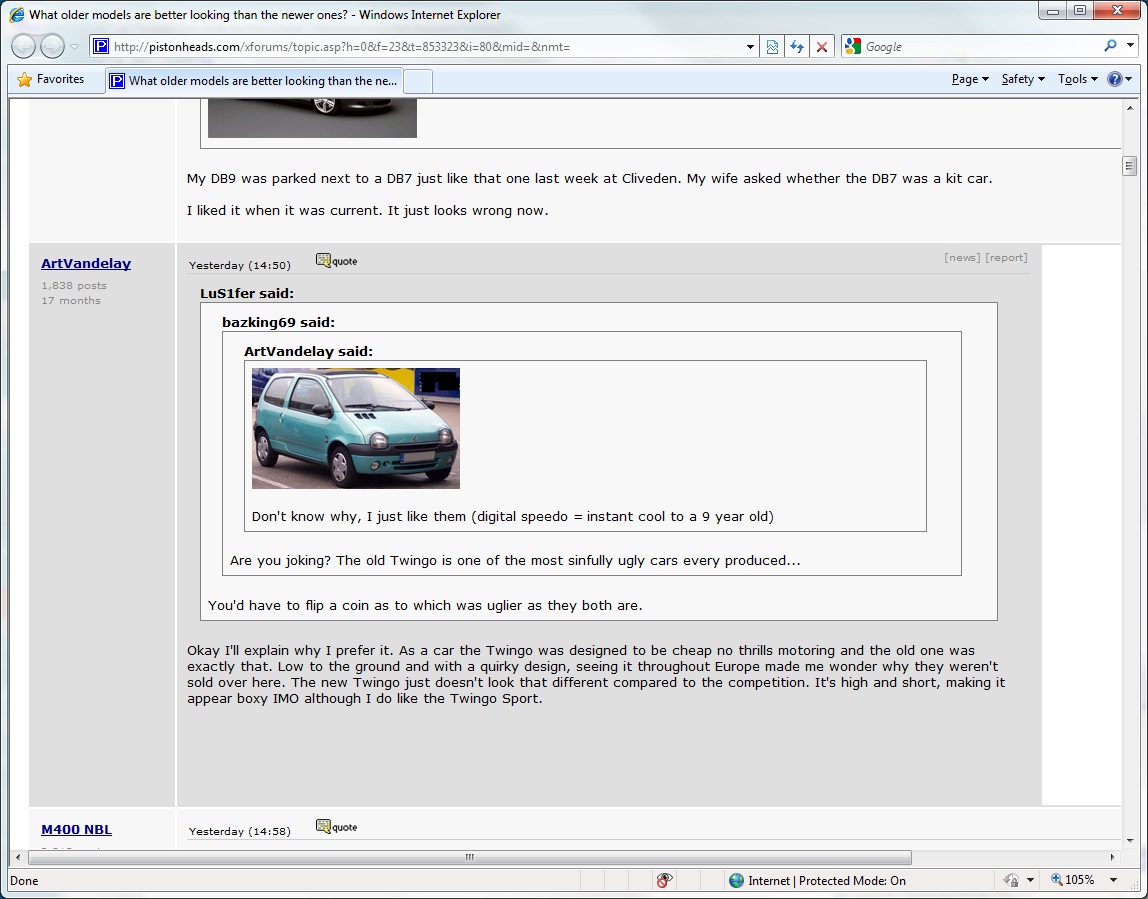
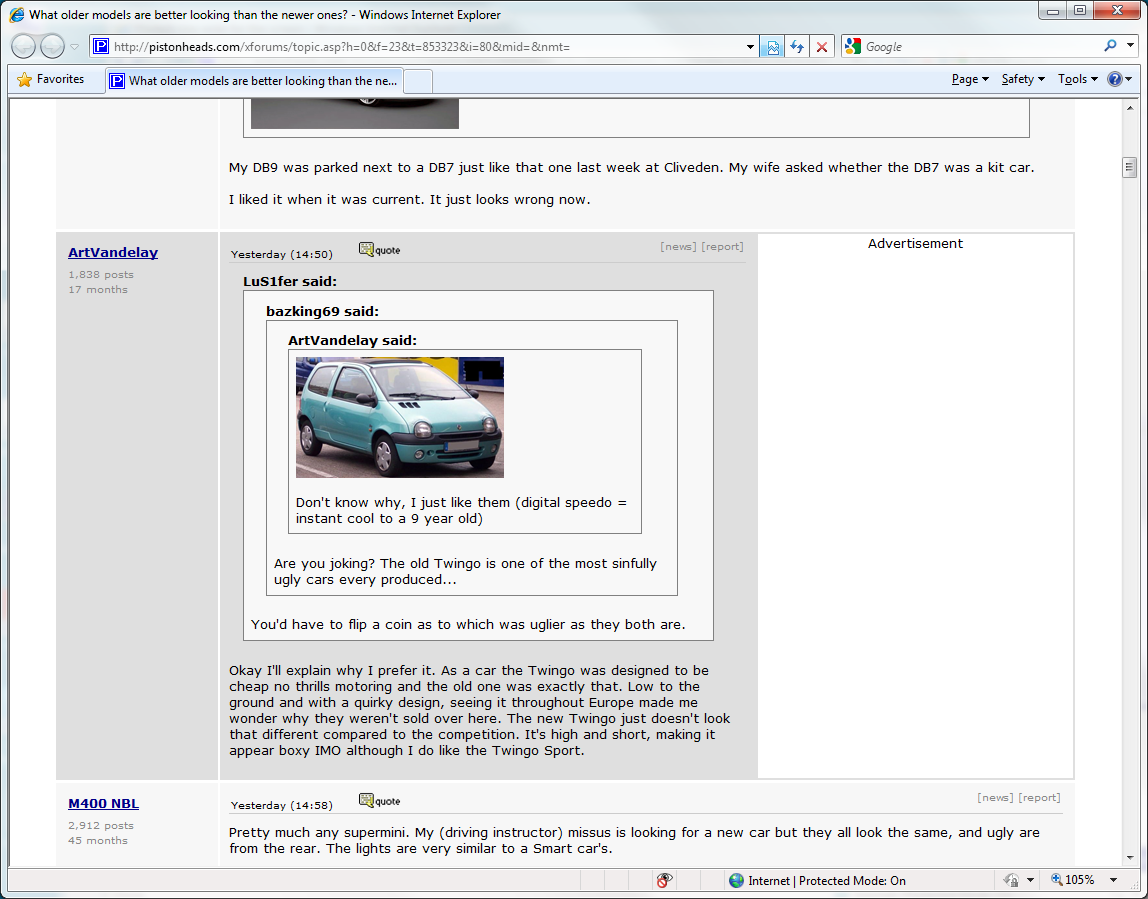
OK, I'm using IE8. If I put it in 'compatibility mode' then the threads fit the screen, if I leave it in 'IE8 mode' then they're massively too wide.
This is a new thing, possibly new since yesterday. Maybe worth re-checking the last change made?
Yesterdays change shouldn't have affected it, are you seeing big images inside quotes or thumbnails?This is a new thing, possibly new since yesterday. Maybe worth re-checking the last change made?
Mr Will said:
jamieboy said:
OK, I'm using IE8. If I put it in 'compatibility mode' then the threads fit the screen, if I leave it in 'IE8 mode' then they're massively too wide.
This is a new thing, possibly new since yesterday. Maybe worth re-checking the last change made?
Yesterdays change shouldn't have affected it, are you seeing big images inside quotes or thumbnails?This is a new thing, possibly new since yesterday. Maybe worth re-checking the last change made?
jamieboy said:
Mr Will said:
jamieboy said:
OK, I'm using IE8. If I put it in 'compatibility mode' then the threads fit the screen, if I leave it in 'IE8 mode' then they're massively too wide.
This is a new thing, possibly new since yesterday. Maybe worth re-checking the last change made?
Yesterdays change shouldn't have affected it, are you seeing big images inside quotes or thumbnails?This is a new thing, possibly new since yesterday. Maybe worth re-checking the last change made?
Mr Will said:
Is it happening all over the place or just on a certain page (if so, can you post a link to it)? Is there a large image in the post with the square advert next to it?
All over the place, as far as I can tell.Link as posted earlier:
http://pistonheads.com/xforums/topic.asp?h=0&f...
Images posted above.

jamieboy said:
Mr Will said:
Is it happening all over the place or just on a certain page (if so, can you post a link to it)? Is there a large image in the post with the square advert next to it?
All over the place, as far as I can tell.Link as posted earlier:
http://pistonheads.com/xforums/topic.asp?h=0&f...
Images posted above.
Right, I've looked into this and it seems to be a known IE8 bug.
What is happening is the IE is resizing the images to make them into thumbnails, but then not shrinking the rest of the page to match. This means that (while the thread is not any wider than it was before) changing to thumbnails has not solved the screen too wide problem for IE8 users.
My advice is to either use compatibility mode, or (if possible) a better browser.
What is happening is the IE is resizing the images to make them into thumbnails, but then not shrinking the rest of the page to match. This means that (while the thread is not any wider than it was before) changing to thumbnails has not solved the screen too wide problem for IE8 users.
My advice is to either use compatibility mode, or (if possible) a better browser.
Gassing Station | Website Feedback | Top of Page | What's New | My Stuff