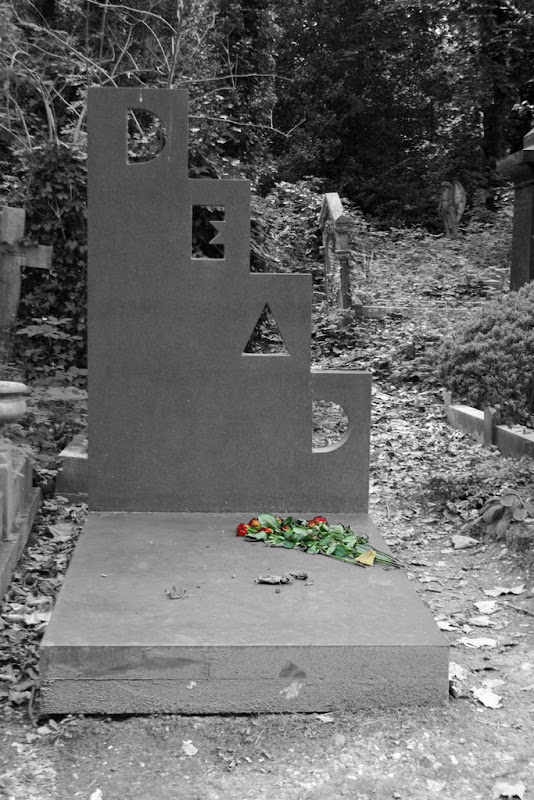
B&W pics with colour
Author
Discussion

big dub

Original Poster:

4,098 posts

247 months

Thursday 9th April 2009
quotequote all
I have no idea how to do this and think the results can be rather good.

How do you make most of a pic B&W but leave one or more items as colour??

I have Photoshop elements 7 and Lightroom 2.2 to mess around with.

Cheers,

Rob

4hero

4,505 posts

241 months

Thursday 9th April 2009
quotequote all
Hi Rob,

It's called Selective Colouring, there's lots of tutorials on the webwink

JSS 911

1,815 posts

241 months

Thursday 9th April 2009
quotequote all
http://www.pistonheads.com/gassing/topic.asp?h=0&a... do I B&W a section of photo in Photoshop?

and my attempt


paul26982

3,850 posts

248 months

Thursday 9th April 2009
quotequote all
i have photoshop CS4 can i do this

4hero

4,505 posts

241 months

Thursday 9th April 2009
quotequote all
paul26982 said:
i have photoshop CS4 can i do this
It's hilarious all these people that have paid £600+ for software, yet don't know how to use it?

Yes, you can do this by clicking on my previous link above, there's lots of tutorials on the internet.

paul26982

3,850 posts

248 months

Thursday 9th April 2009
quotequote all
sorry for the noob question never really bothered with photoshop even though im a big art shot fan smile yep i know how to do it too thanx

Pvapour

8,981 posts

283 months

Thursday 9th April 2009
quotequote all
My effort first week of camera, saw a more dramtic effect imposed on the B&W part in another thread which I'd like to know how to do, not sure it would work on this one though.


something more like this, not sure though scratchchin


Edited by Pvapour on Thursday 9th April 23:02

andy-xr

13,204 posts

234 months

Thursday 9th April 2009
quotequote all
4hero said:
paul26982 said:
i have photoshop CS4 can i do this
It's hilarious all these people that have paid £600+ for software
And then there's the ones who havent. Not pointing any fingers, but amount of users compared to amount of subscriptions is a very different number

Funk Odyssey

1,983 posts

259 months

Thursday 9th April 2009
quotequote all
some of my recent ones -comments welcome!


Funk Odyssey

1,983 posts

259 months

Thursday 9th April 2009
quotequote all
I should add - all done legally and free with the GIMP! I recommend it

Pierscoe1

2,458 posts

291 months

Friday 10th April 2009
quotequote all
one of mine, from New York last week:

Roger645

1,795 posts

277 months

Friday 10th April 2009
quotequote all
One of mine


Edited by Roger645 on Friday 10th April 08:58

CarreraKid

55 posts

211 months

Friday 10th April 2009
quotequote all
Hi,

As everyone else has said the selective colour tutorials will give you all you need,

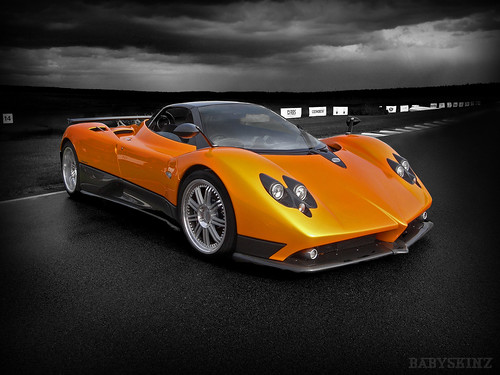
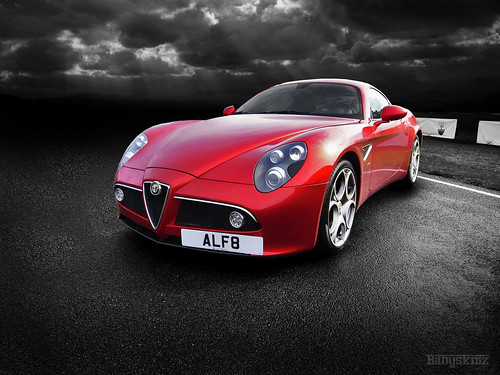
Pvapour I sent you a mail ref my line of red Ferraris with the dramatic sky and think you could do it with your Enzo shot but may struggle with the current sky so I suggest cutting and pasting one with more definition the really playing with the levels and curves. I shot these as Raw files one my Richoh GX100 then used photoshop with Colour Effex pro 2 plug in.


Pvapour

8,981 posts

283 months

Saturday 11th April 2009
quotequote all
OK, got the plug in, got a great shot of some stored tanks today, liked the antique look in previous pics so had a go.....


Edited by Pvapour on Saturday 11th April 22:32

Funk Odyssey

1,983 posts

259 months

Saturday 11th April 2009
quotequote all
nice - like the tanks - perhaps needs the sides of the embankment lightening ?

Funk Odyssey

1,983 posts

259 months

Saturday 11th April 2009
quotequote all
any excuse to post mine..... apologies if you don't like this sort of thing - I'm not so hot on leaving the coloured part super saturated - I like mine a bit more washed out and perhaps with odd bits of colour here and there....

the beast


dead hydracon


hidden AEC


another one of the beast

Pvapour

8,981 posts

283 months

Saturday 11th April 2009
quotequote all
No. 1 favourite (like them all though) was the ground colour to front of truck intentional?

your right right on the embankment, 2nd one added but with colours drained a bit more plus a slight sepia in background.

Funk Odyssey

1,983 posts

259 months

Saturday 11th April 2009
quotequote all
Pvapour said:
No. 1 favourite (like them all though) was the ground colour to front of truck intentional?

your right right on the embankment, 2nd one added but with colours drained a bit more plus a slight sepia in background.
which picture do you mean?

Bob_Defly

5,890 posts

261 months

Sunday 12th April 2009
quotequote all
Mine:


cw42

976 posts

261 months

Sunday 12th April 2009
quotequote all
Mine:


Love doing this with the right subject