
Chevrolet photos - Criticism and ideas welcome
Discussion


I want to print some photos as a gift for someone who's done me a favour. I took some photos of a couple of his cars and I'd like to make something of them. Unfortunately I was limited in the location/time of day I could use for shooting. My processing skills are very noobish so I'd welcome ideas of ways in which I could get the most from them.
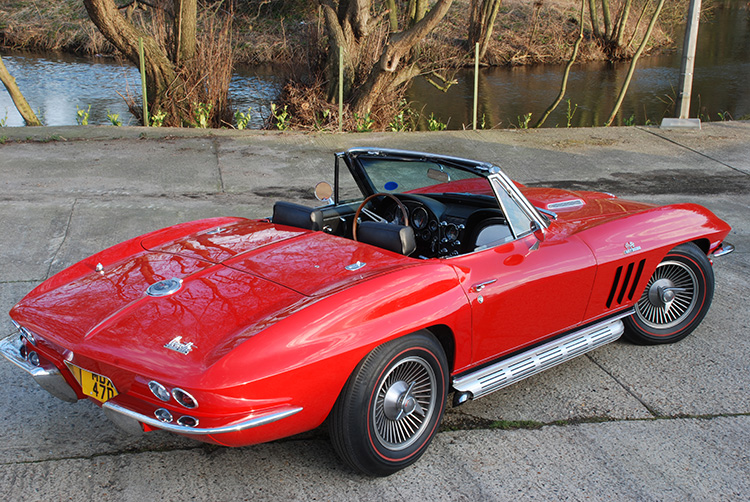
Original: http://www.corvetteclub.org.uk/images/user_special...
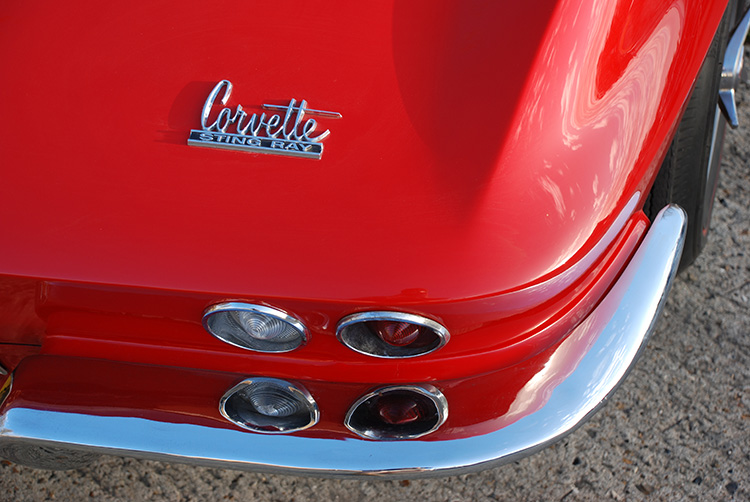
Original: http://www.corvetteclub.org.uk/images/user_special...
I'd really be interested to see how people get the best from these photos, provided they're prepared to share their techniques with me, step-by-step. I'm trying to learn.
I had a play with the first but it looks a bit odd with no driver, and a little clichéd perhaps:
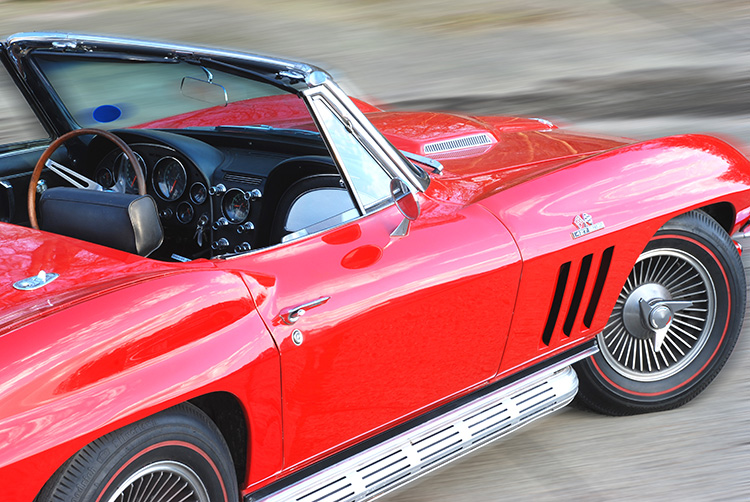
Comments welcome.
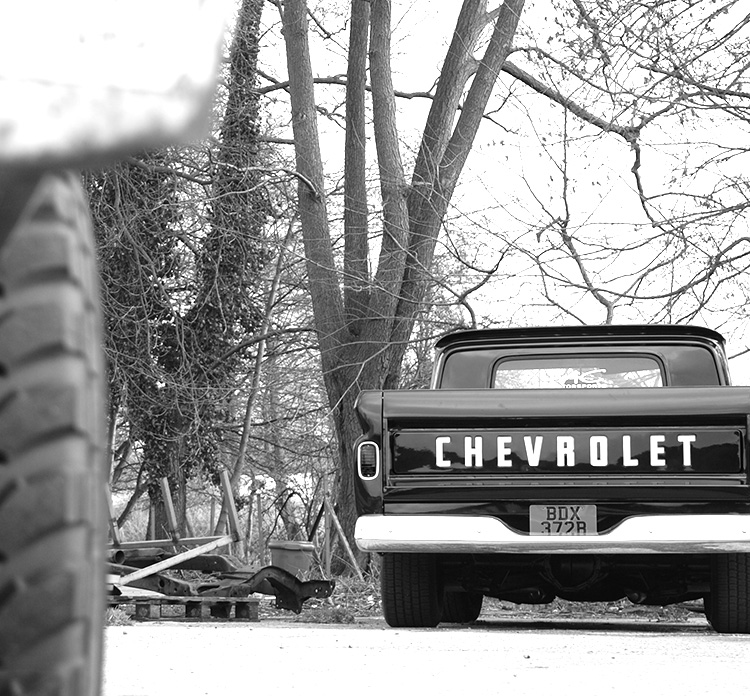
Also tried working on a different subject. This truck's not as close to his heart as the Vette, but it makes a good subject. Again, feedback welcome. These photos are more for my benefit than his.
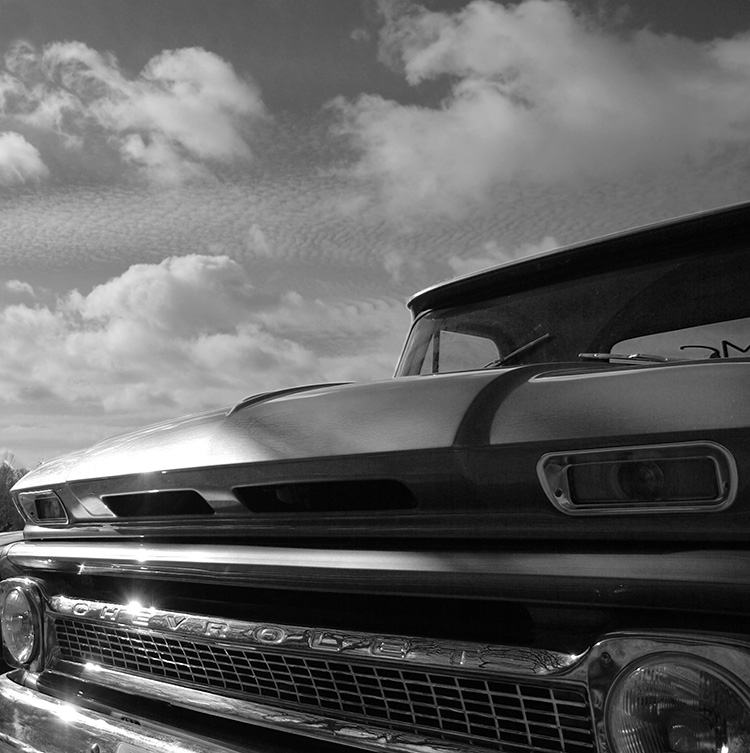
Original: http://www.corvetteclub.org.uk/images/user_special...
Original: http://www.corvetteclub.org.uk/images/user_special...
I'd really be interested to see how people get the best from these photos, provided they're prepared to share their techniques with me, step-by-step. I'm trying to learn.
I had a play with the first but it looks a bit odd with no driver, and a little clichéd perhaps:
Comments welcome.
Also tried working on a different subject. This truck's not as close to his heart as the Vette, but it makes a good subject. Again, feedback welcome. These photos are more for my benefit than his.
Having looked at the truck again I'd say the only thing I would try is to clone out the things in the bottom right of the windscreen. Is it a stciker on the back window? I like this one as it is nice and tightly framed and is a slightly unusual view. Also I do like B&W for a nice big print.
Cheers
Chris
Cheers
Chris
A quick draft, I've not messed with any levels or effects.

My idea would be a poster like above, or if you wanted to spend a bit more money get a set of 4 canvas type blocks printed of each of the individual slices and display them one above the other on a wall with a slight gap between them.
My idea would be a poster like above, or if you wanted to spend a bit more money get a set of 4 canvas type blocks printed of each of the individual slices and display them one above the other on a wall with a slight gap between them.
Edited by The_Jackal on Tuesday 13th May 21:00
Hi Jackal,
Thanks for your response - I like what you've done with the poster-layout one.
Here are the originals of the truck -
Front: http://www.corvetteclub.org.uk/images/user_special...
Rear: http://www.corvetteclub.org.uk/images/user_special...
And an extra one -
Tailgate: http://www.corvetteclub.org.uk/images/user_special...
I'd like to be able to print these out on my trusty Canon MX700 and mount them in frames to present as a gift, so while the poster idea is good it's going to be tricky for me to arrange. The recipient is not a stylish youth and so I don't think anything too trendy/cool is going to work.
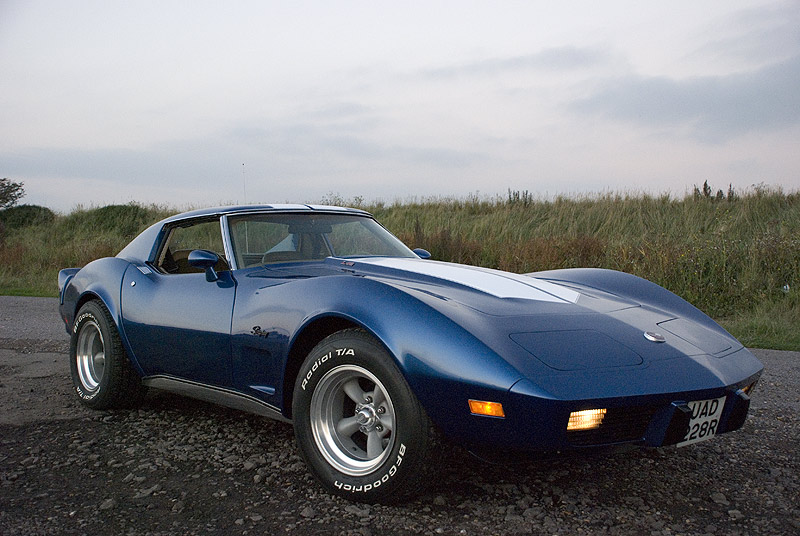
I've taken a couple of photos of my Vette that I was pleased with, but haven't got the perfect setting yet. I want to find some dilapidated industrial backdrop to contrast the car's new paint but I haven't seen much like that in Sussex. The car's off the road for a major chassis overhaul at the moment so there won't be much happening for a couple of months at least.
Sorry for delayed response - I've been working and didn't check for replies.
Thanks for your response - I like what you've done with the poster-layout one.
Here are the originals of the truck -
Front: http://www.corvetteclub.org.uk/images/user_special...
Rear: http://www.corvetteclub.org.uk/images/user_special...
And an extra one -
Tailgate: http://www.corvetteclub.org.uk/images/user_special...
I'd like to be able to print these out on my trusty Canon MX700 and mount them in frames to present as a gift, so while the poster idea is good it's going to be tricky for me to arrange. The recipient is not a stylish youth
and so I don't think anything too trendy/cool is going to work. I've taken a couple of photos of my Vette that I was pleased with, but haven't got the perfect setting yet. I want to find some dilapidated industrial backdrop to contrast the car's new paint but I haven't seen much like that in Sussex. The car's off the road for a major chassis overhaul at the moment so there won't be much happening for a couple of months at least.
Sorry for delayed response - I've been working and didn't check for replies.
Edited by sublimatica on Tuesday 13th May 23:40
Simpo Two said:
The one thing that strikes me as odd is that in number 3 the car is driving itself...
ETA and if the car was actually moving, the wheels would be blurred too. Radial blur y'know...
I know what you mean, Simpo. I cropped the image so the driver's position was slightly ambiguous, but perhaps not 100% successfully.ETA and if the car was actually moving, the wheels would be blurred too. Radial blur y'know...
I don't have a clue where to start with radial blur (especially in an elliptical shape like the wheels!). Strictly speaking the ground's blur ought to be curved too since the car's turning a corner.
I only wanted to remove some of the detail from the ground to hide the distracting texture of the concrete and draw the car out of the picture a bit. I'd welcome alternative suggestions if you've got any good ideas.
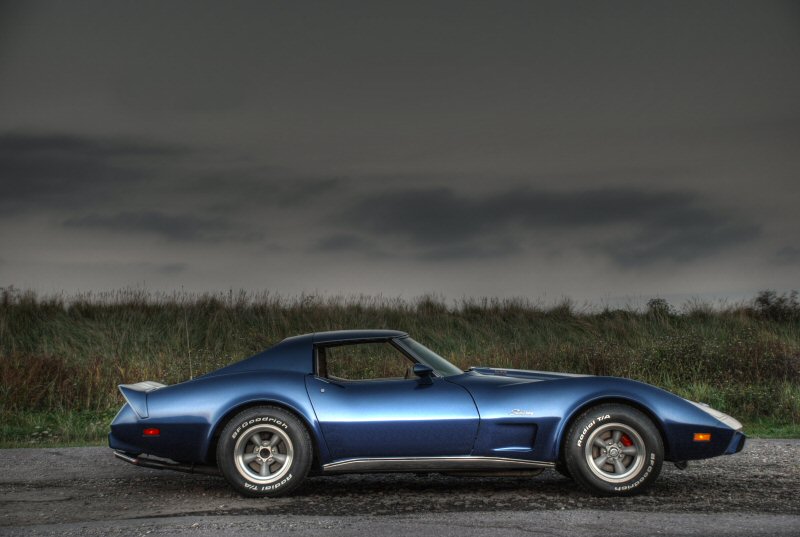
Mmmmm I love that side on pic of the Vette and the moody sky.
So for your mates pic you want just a single image? If you choose the one you want I'll have a mess around. Is there any text you would want as a title or details incorporated in the pic (for example the exact make model and year of the vehicle?)
So for your mates pic you want just a single image? If you choose the one you want I'll have a mess around. Is there any text you would want as a title or details incorporated in the pic (for example the exact make model and year of the vehicle?)
The_Jackal said:
Mmmmm I love that side on pic of the Vette and the moody sky.
Thanks - that was my first HDR experiment but I didn't have two perfectly-aligned source exposures so I can't blow that one up large enough to be stunning. Will practice more when the car's back on the road.The_Jackal said:
So for your mates pic you want just a single image? If you choose the one you want I'll have a mess around. Is there any text you would want as a title or details incorporated in the pic (for example the exact make model and year of the vehicle?)
I figured I'd try and do something with the two photos of the red Vette above. That's John's favourite car and I took a whole load of pictures to try and get one or two that I could do something with. Those are the best two, given the poor backdrop and light that was available. I think I'm keen to keep the car red (rather than B&W) so it's obvious to John that it's his car. I'd like to use them both if I can, so that I can give John something more than a single photo of the car.Don't worry about adding text or borders to the images thanks - I'm fairly happy doing that sort of thing. It's the creative ideas on how best to turn OK photos into stunning prints by clever Photoshop techniques that I'm keen to learn. I thought stigmundfreud demonstrated this well in his photos of Swindon.
The truck was mainly for my amusement, since I don't plan to give John photos of it. I thought I'd post them for comment only.
Something like this?

Oops didnt see your last post. One thing I noticed was that the ISO was about 300. Especially in daylight, if you are using a tripod try and use 100 for the least noise.
I'm off to bed now but I'll try and come up with a two pic idea for the Corvette.
Oops didnt see your last post. One thing I noticed was that the ISO was about 300. Especially in daylight, if you are using a tripod try and use 100 for the least noise.
I'm off to bed now but I'll try and come up with a two pic idea for the Corvette.
Edited by The_Jackal on Wednesday 14th May 00:38


Thanks for those suggestions.
TypeRandy, it looks like you've posterised the image to create yours, or did you just boost the saturation? I must have played with those kinds of filters myself, but when someone else does it it looks better somehow
9.3, I like yours too. How have you done that? It might be a bit abstract for the recipient but I like the effect. The dashboard and wheel look really cool - proper '70s movie poster. That's the kind of thing I could do to my own car quite nicely.
TypeRandy, it looks like you've posterised the image to create yours, or did you just boost the saturation? I must have played with those kinds of filters myself, but when someone else does it it looks better somehow
9.3, I like yours too. How have you done that? It might be a bit abstract for the recipient but I like the effect. The dashboard and wheel look really cool - proper '70s movie poster. That's the kind of thing I could do to my own car quite nicely.
Gassing Station | Photography & Video | Top of Page | What's New | My Stuff