
photoshop blur - Help please!
Discussion


You'd be best doing it little by little by using motion blur and changing the angle of direction for different sections but it would be tricky to get it looking perfect.
Either that, or cut the selection of ground you want to blur, bend it into a straight line as well as you can, use motion blur, and then bend it back to the way it was.
If you post the image I'll have a crack and post the results and method if I'm successful.
You might already be aware, but the effect seen in the Porsche image isn't image editing. The picture would have been taken from a rig attached to the car, then photoshopped out.
Like this:

Either that, or cut the selection of ground you want to blur, bend it into a straight line as well as you can, use motion blur, and then bend it back to the way it was.
If you post the image I'll have a crack and post the results and method if I'm successful.
You might already be aware, but the effect seen in the Porsche image isn't image editing. The picture would have been taken from a rig attached to the car, then photoshopped out.
Like this:
Edited by Blukoo on Saturday 4th August 23:34


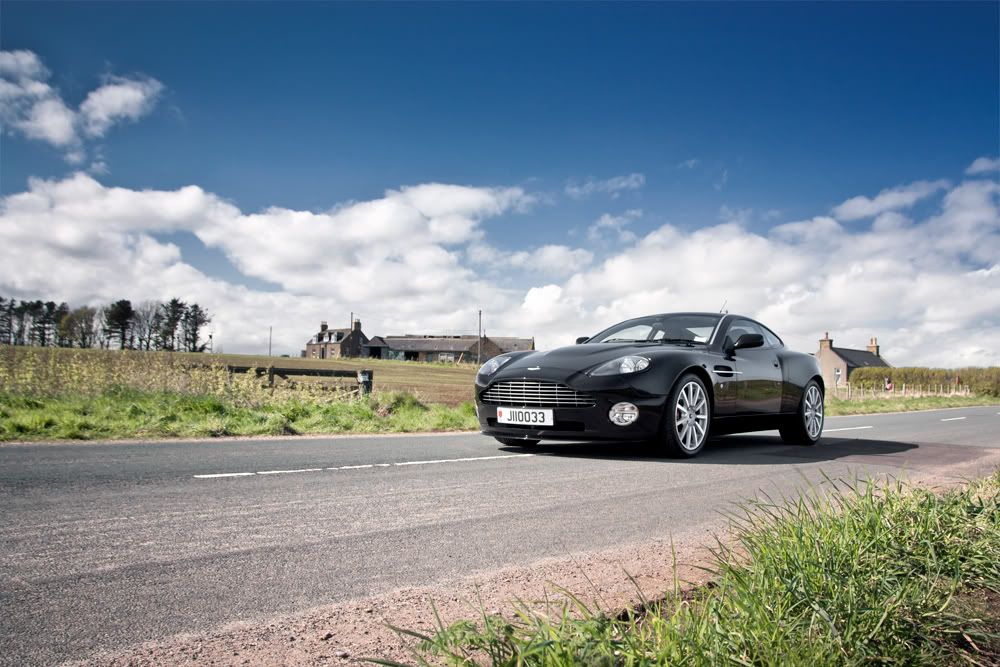

With bends you can't get it accurate in photoshop. You can only do very very very basic adding motion in photoshop really like this I did last week

The wheels let this shot down the most as they're nicked off google images, but what you need to get right is the perspective of motion, so you have to warp and distort the image quite a lot to get right. In the above of the aston the motion is in the wrong direction
The wheels let this shot down the most as they're nicked off google images, but what you need to get right is the perspective of motion, so you have to warp and distort the image quite a lot to get right. In the above of the aston the motion is in the wrong direction


Frank Kayser is the Porsche photographer/CGI guy. Great video here, it's amazing how much effort goes into it.
http://vimeo.com/24775104
This is that virtual rig thingy.
http://www.virtualrig-studio.com/
http://vimeo.com/24775104
This is that virtual rig thingy.
http://www.virtualrig-studio.com/
estacion said:
The virtual rig is exactly what I was after, I downloaded the trial version but am having trouble getting my head around it. Anyone use this on a regular basis?
Yes. It's actually really easy to use, but really hard to understand it at first. Watch the tutorials on Youtube 
GFWilliams said:
Yes. It's actually really easy to use, but really hard to understand it at first. Watch the tutorials on Youtube
Cracked it, Many thanks! What an amazing program! It's seemed so daunting at first, but it's actually quite straightforward. Now the only problem is the ridiculously high license fee!! Taken a look at your work, top stuff! Love the underground carpark shots with the Bugatti an f50!North West Tom said:
Go on then, post up your result!
Sorry, all I have is a small jpeg of a road with the company logo all over it! Thinking of buying the license but it's not cheap! But I can recomend it as an alternative to a real rig as the results are pretty impressive. Here is the link again, take a look.http://www.virtualrig-studio.com/
GFWilliams said:
or virtual rig to get something like this (not perfect I know, but can't publish my newer stuff yet)
Do you draw blurring vectors around the car with static points on the outline of the car? or do you PS the 'sharp' car back on top of the blurred roads afterwards?I tried PS'ing the car in afterwards, and rightly so the car looked, well, photoshopped! (need to work on these skills) lol
I've had slightly better luck with static points marking the outline of the car, but there is an inconsistant blur point between the static point and the vector path (ie a patch of less blur around the car, like a halo).
Any tips you can share?! lol
TigerS6 said:
o you draw blurring vectors around the car with static points on the outline of the car? or do you PS the 'sharp' car back on top of the blurred roads afterwards?
I tried PS'ing the car in afterwards, and rightly so the car looked, well, photoshopped! (need to work on these skills) lol
I've had slightly better luck with static points marking the outline of the car, but there is an inconsistant blur point between the static point and the vector path (ie a patch of less blur around the car, like a halo).
Any tips you can share?! lol
You clone out the car from the shot (or shoot another without the car if you're shooting on a tripod) then PS the sharp car back on top. Here is another..I tried PS'ing the car in afterwards, and rightly so the car looked, well, photoshopped! (need to work on these skills) lol
I've had slightly better luck with static points marking the outline of the car, but there is an inconsistant blur point between the static point and the vector path (ie a patch of less blur around the car, like a halo).
Any tips you can share?! lol

The hardest bit is getting the shadow and wheels right...
Oh, this one was done too, although it was more just an experiment really

Gassing Station | Photography & Video | Top of Page | What's New | My Stuff